It is a basic quality management process to establish a set of quality objectives.
To Access: Login to ERP > Desktop > Quality > Quality Goal
Create Quality Goal
- Go to Quality Goal
- Click Add Quality Goal
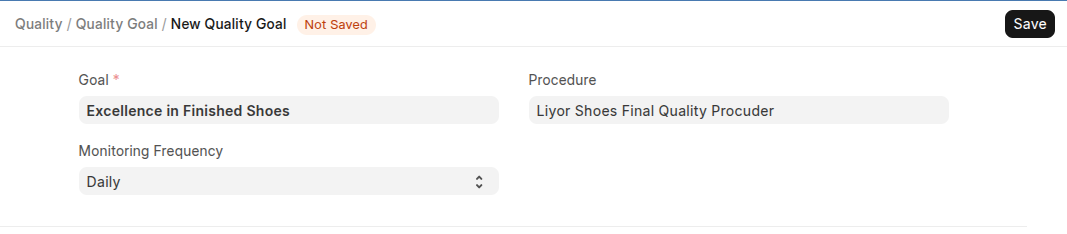
- Set Name
- Select Procuder and Monitoring Frequency
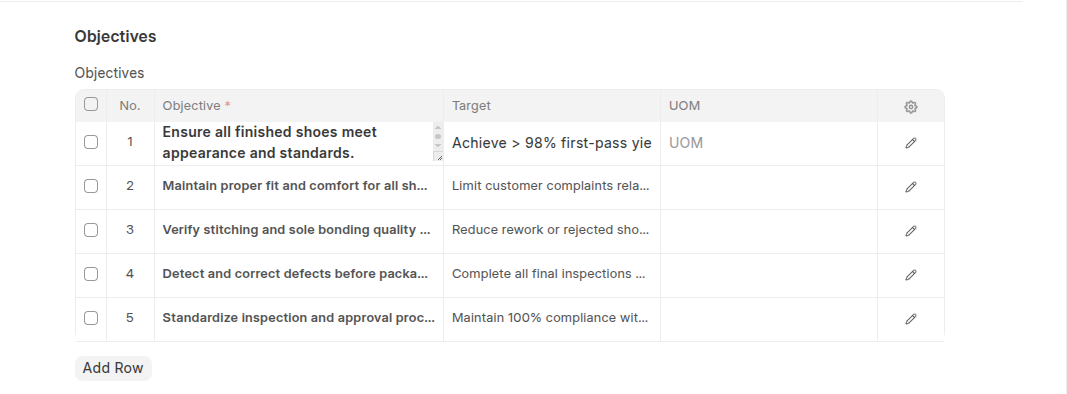
- Add Objective with thier target
- Click Save
Last updated 6 months ago
Was this helpful?